Threads
Plan your next trip.
Or a renovation, or a big decision. The questions, pages and finds behind it gather in one thread, ready to become a plan, a comparison or a message.
 What's settled and what's open, in a line
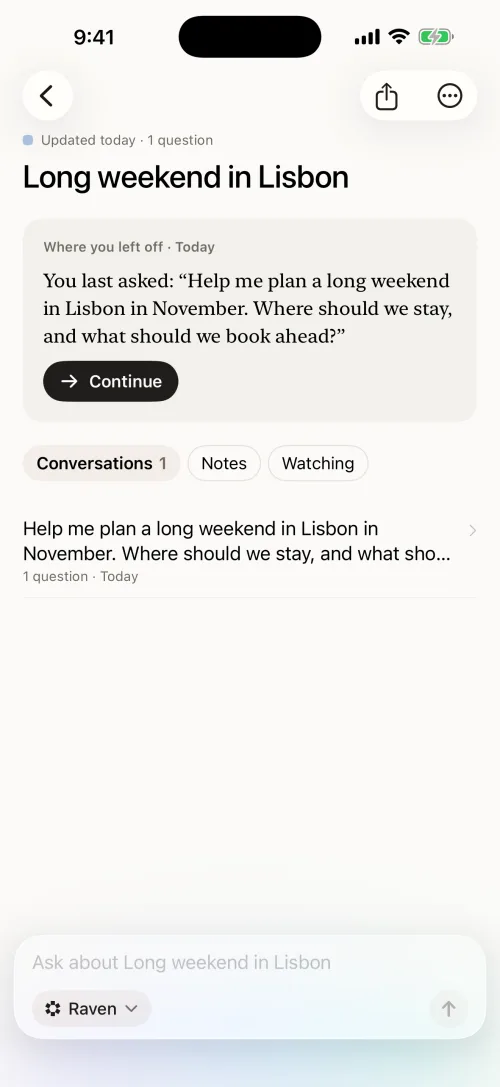
A trip. A renovation. A decision. Every find in one place.
No folders. No filing.
Ask about the thing you're in the middle of, and when a chat turns into ongoing work, Raven offers to make it a thread. On the Mac, it notices when you've opened a few pages about the same thing and offers to keep them together.
- Questions, pages, what you kept and what's next, in one place
- What matters to you, like a budget or a date, weighed in every answer
- Personal and Work kept apart, each with its own threads
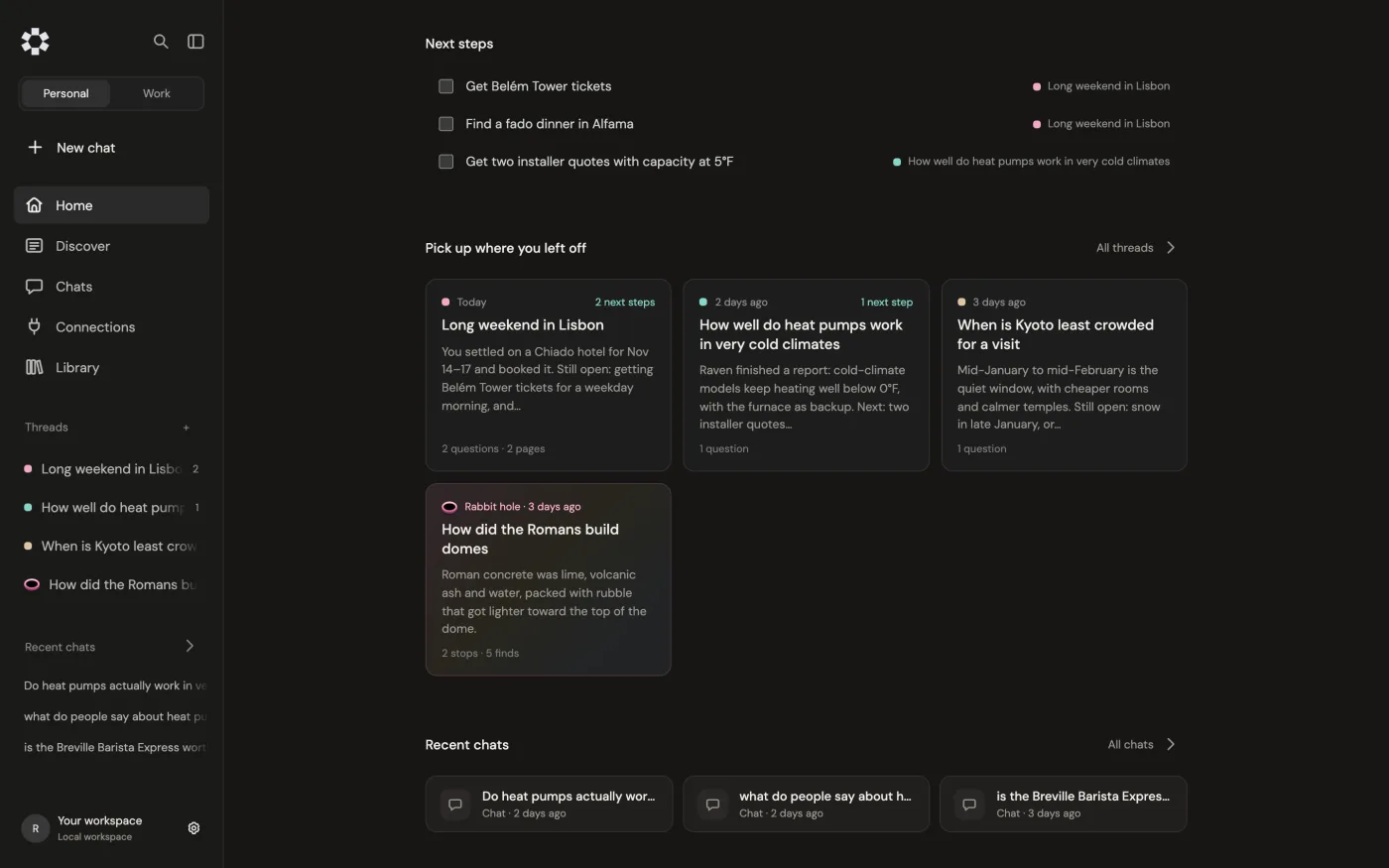
The plan keeps itself.
Add a next step in a line, or turn anything Raven finds into one. Check it off and it stays on the list, crossed out, so you can always see how you got here. Home gathers the open ones from every thread.
- Typed in a line, or made from a find
- Every open step on Home, labeled with its thread
- Done ones stay, crossed off
Hand off the reading.
Tell Raven to go ahead and it plans the next few steps from your thread, then reads while you get on with your day. Change the plan before it starts. Whatever it finds comes back with the pages behind it, and anything that needs you, like a sign-in or a purchase, is left for you.
- A plan you can edit before it starts
- Every finding can be kept, or made a next step
- Sign-ins, paywalls and purchases stay yours
Reading ahead for Long weekend in Lisbon
From your open next steps and what matters to you: Tuesday to Sunday, walking distance.- Check which days Belém Tower is open
- Find fado dinners in Alfama with a late seating
- Compare the train and a taxi to Sintra
Turn it into something.
When you're ready, Raven writes it up from what's in the thread: a summary, a comparison, a plan, a message to send. Every claim points back to where it came from. Change it with a sentence, then copy it, share it as a page, or download it.
- Only what the thread holds, cited
- Change it with a sentence, undo if you like
- Copy for Slack, Markdown or PDF
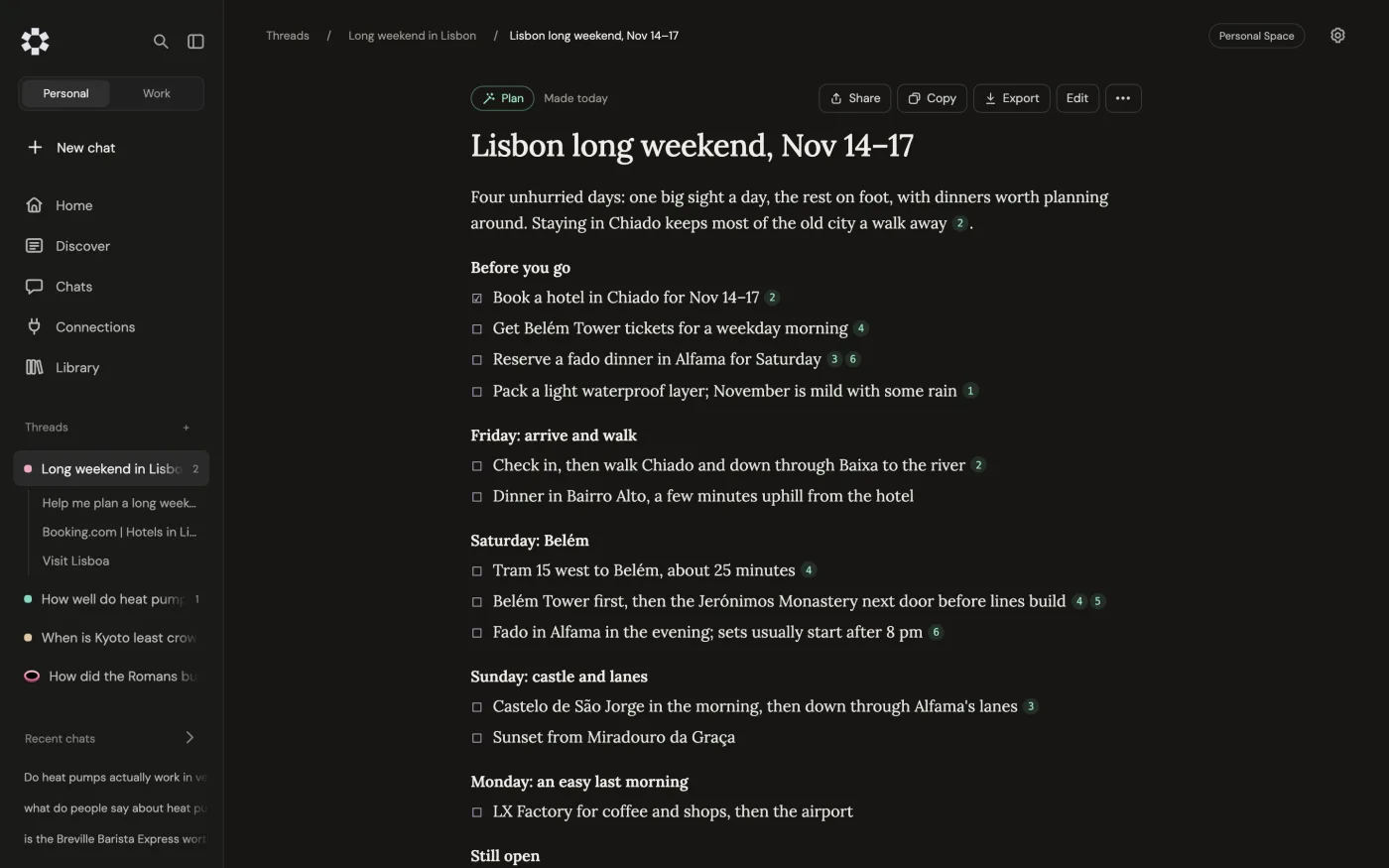
From a question to a plan.
Ask about what you're in the middle of
A question, a page you're reading, a photo or a PDF. Raven answers with the pages behind it.
It becomes a thread
Follow-ups, kept finds and next steps stay together, on the Mac, iPhone and the web.
Turn it into something
A summary, a comparison, a plan or a message, with every claim cited back to where it came from.
Your tabs, finally in order.
Each thread's tabs open together, in its color. Loose tabs become a thread in one click.
Find anything you've read in Raven with ⌘K. The index stays on your Mac.
Import from Chrome, Arc, Dia, Brave or Edge, and choose what becomes a thread.
Personal and Work each keep their own browser profile, cookies and sign-ins.
Start with a question.
Ask about whatever you're figuring out. Raven gathers the rest.
Start free